
解决 Spring Session 分布式部署难题:Redis 集成指南
#解决 Spring Session 分布式部署难题:Redis 集成指南
#🚀 前言:Session 丢失的噩梦
还在为 Spring 原生 Session 无法支持分布式部署而头秃吗?🤯
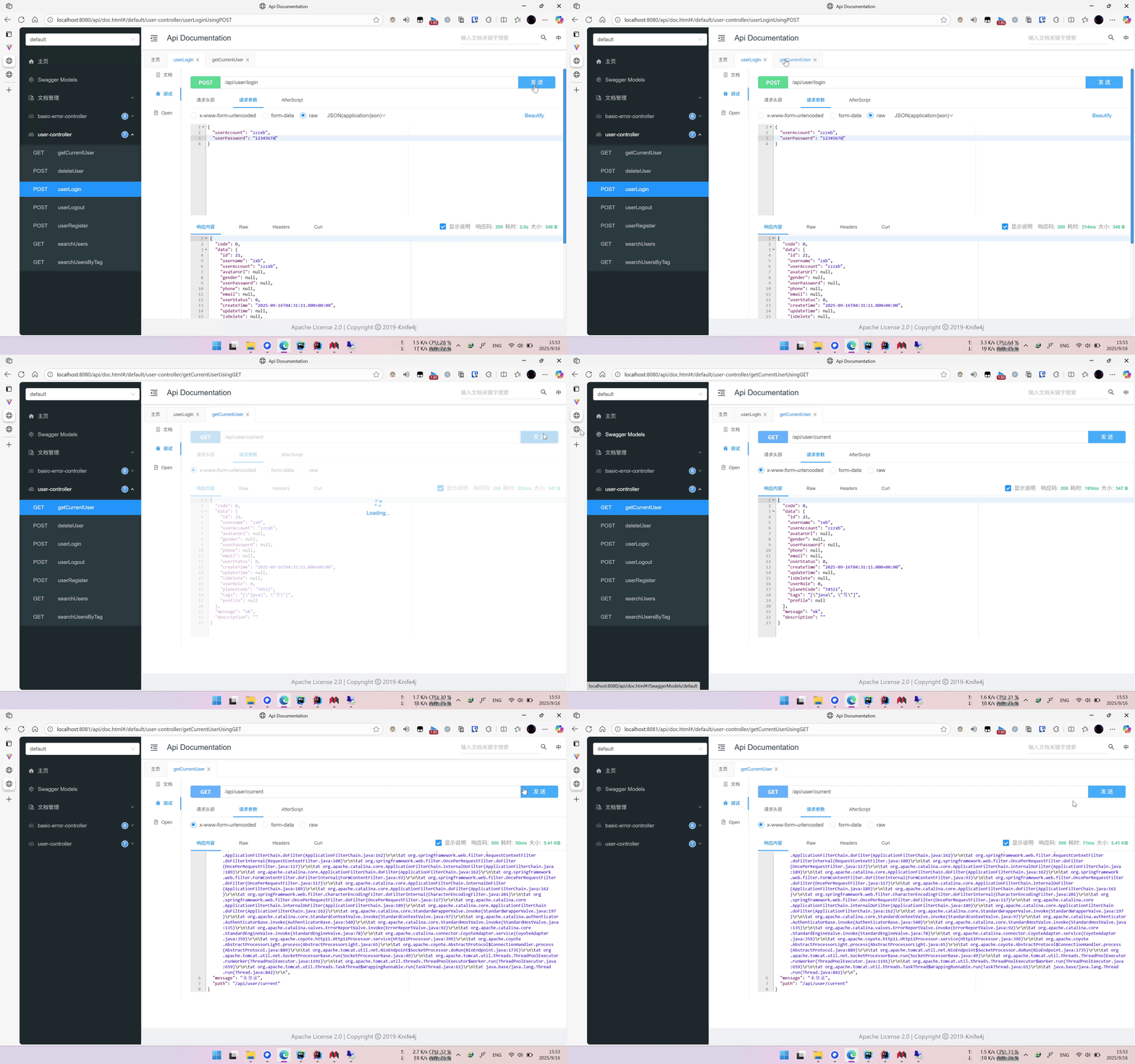
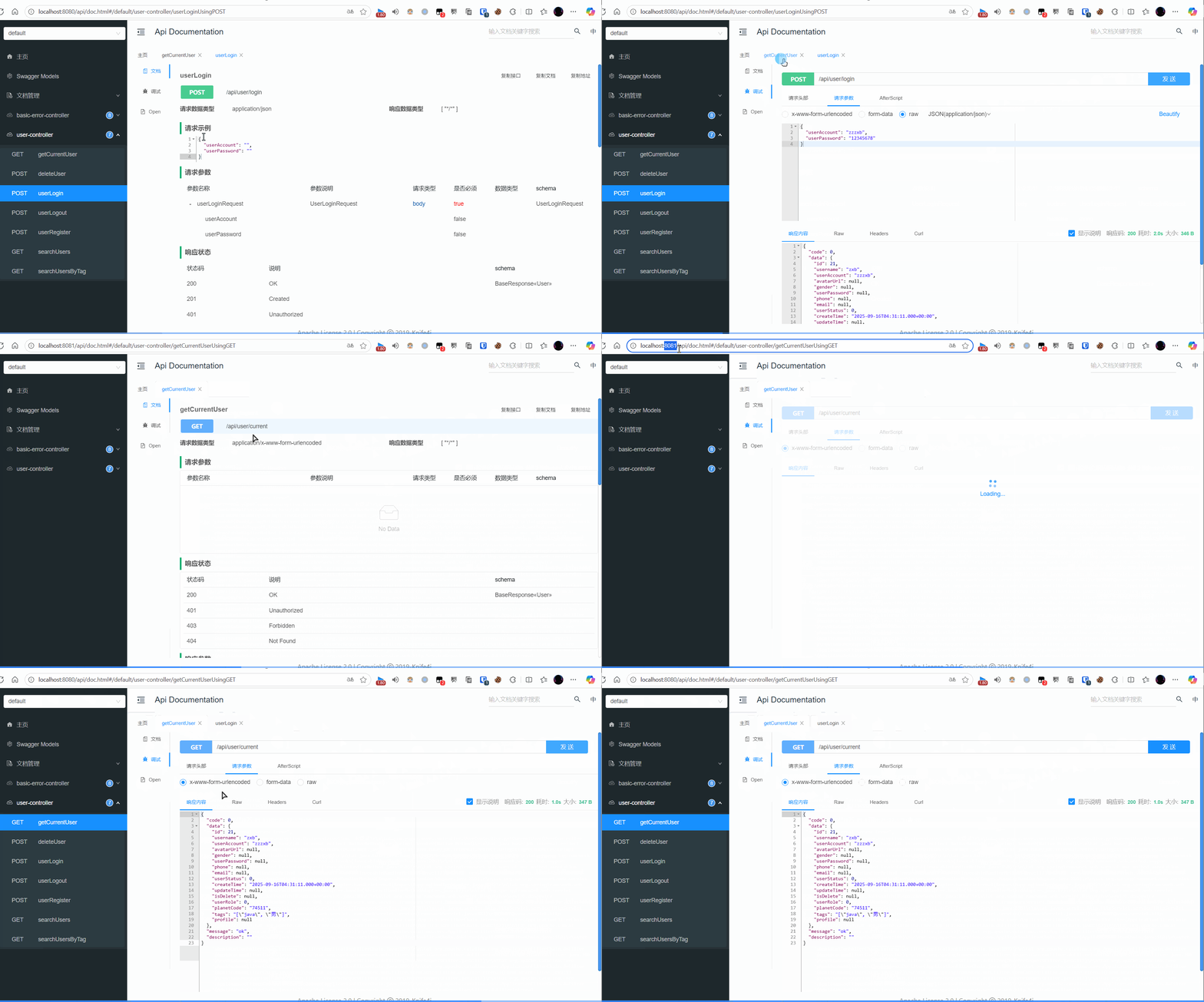
配合 spring-session-data-redis,轻松实现 Session 共享:✨
#🛠️ 实现步骤:三步搞定
#第一步:引入 Maven 依赖
<dependency>
    <groupId>org.springframework.boot</groupId>
    <artifactId>spring-boot-starter-data-redis</artifactId>
</dependency>
<dependency>
    <groupId>org.springframework.session</groupId>
    <artifactId>spring-session-data-redis</artifactId>
</dependency>
#第二步:配置 application.yml
spring:
  redis:
    host: your_ip
    port: 54477
    database: 0
    password: your_password
  # session 失效时间
  session:
    timeout: 86400
    store-type: redis # 默认为none
#💡 前端避坑指南#
如果你使用 axios网络请求1 发送请求,务必开启凭证携带:
// 携带 Cookie,解决跨域 Session 问题
📦 完整代码工具类:axios工具类2
#🧪 进阶:本地模拟多实例测试
- 👉
Ctrl+D 复制一个 Application 实例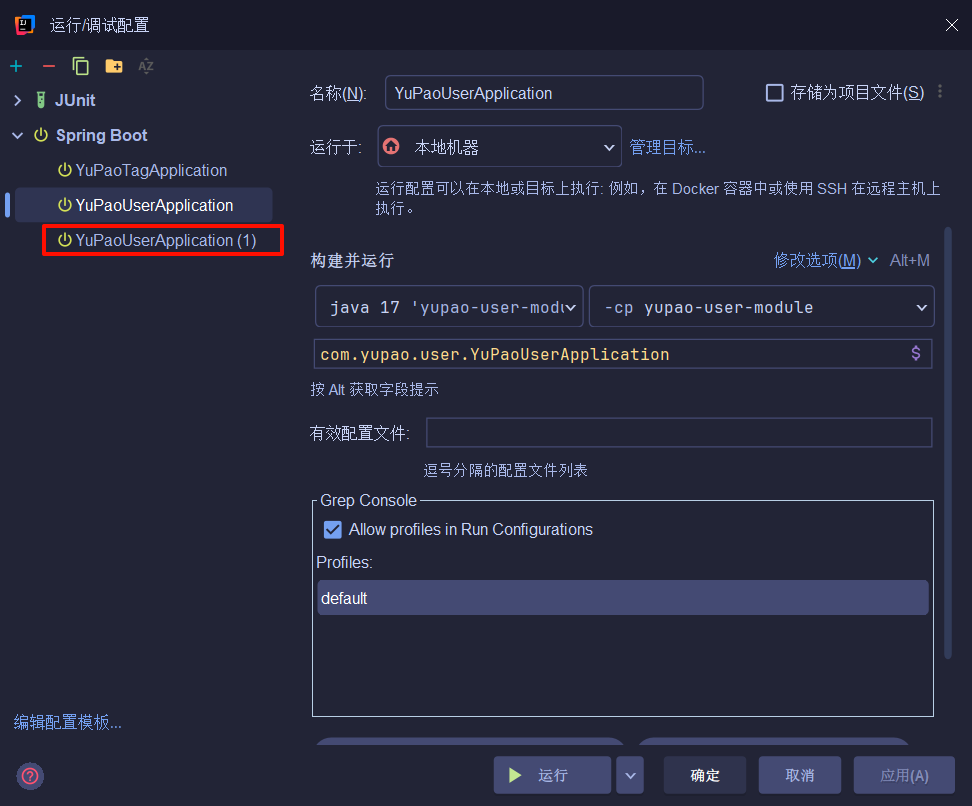
- 👉
Alt+R 打开运行配置,添加 VM options 参数 (如-Dserver.port=8081)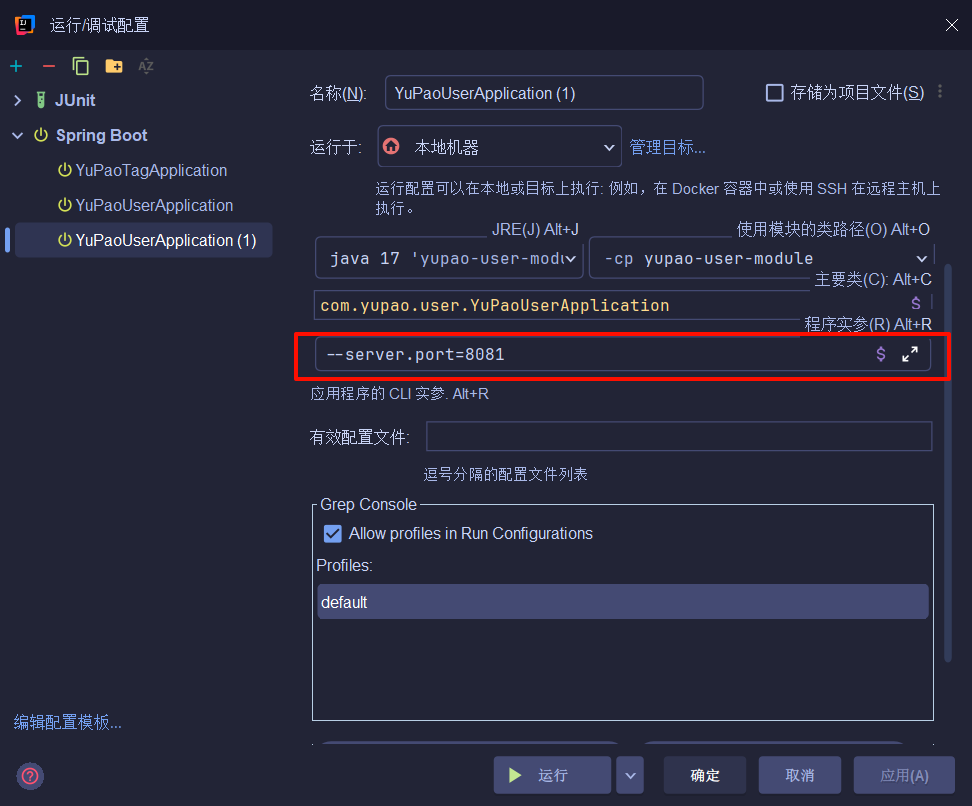
脚注
-
#axios网络请求
Axios 是一个基于 promise 的 网络请求库,作用于浏览器和 node.js 中
安装命令:
npm install axios # pnpm i axios 或 yarn add axios导入命令:
import axios from 'axios'#axios的API列表
关于数据请求可以查看:HTTP协议相关方法
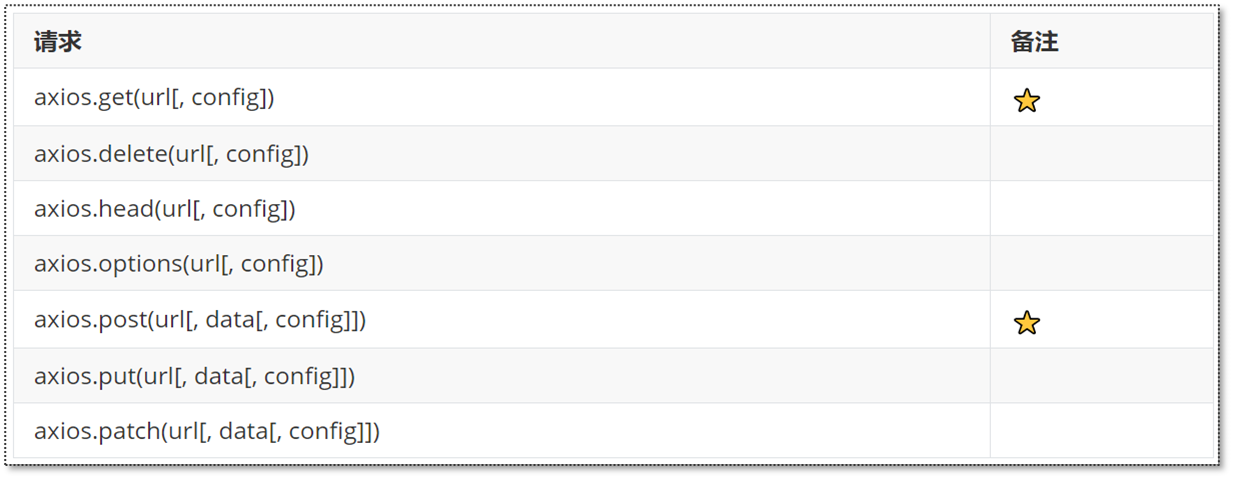
参数说明:
- url:请求路径
- data:请求体数据,最常见的是JSON格式数据
- config:配置对象,可以设置查询参数、请求头信息
#跨域问题的解决
为了解决跨域问题,可以在 vue.config.js 文件中配置代理:
const { defineConfig } = require('@vue/cli-service') module.exports = defineConfig({ transpileDependencies: true, devServer: { port: 7070, proxy: { '/api': { target: 'http://localhost:8080', pathRewrite: { '^/api': '' } } } } })vue3中的配置或使用openresty也可以解决:SpringWeb报错——CORS问题解决
#基本使用
axios 的post、get 方法示例:
axios.post('/api/employee/login',{ username:'admin', password: '123456' }).then(res => { console.log(res.data) }).catch(error => { console.log(error.response) })axios.get('/api/admin/shop/status',{ headers: { token: ‘xxx.yyy.zzz’ } })axios 统一使用方式:
axios(config)↩axios({ url: '/api/admin/employee/login', method:'post', data: { username:'admin', password: '123456' } }).then((res) => { console.log(res.data.data.token) axios({ url: '/api/admin/shop/status', method: 'get', params: {id: 100}, headers: { token: res.data.data.token } }) }).catch((error) => { console.log(error) }) -
#axios工具类
import axios from 'axios' import {showFailToast} from "vant"; import router from "@/router"; const myAxios = axios.create({ baseURL: 'http://localhost:8080/api' }) // 携带cookie myAxios.defaults.withCredentials = true myAxios.interceptors.request.use(function (config) { console.log("发送请求") return config }, function (err) { return Promise.reject(err) }) myAxios.interceptors.response.use(function (response) { return response.data }, function (err) { return Promise.reject(err) }) // 全局异常处理 myAxios.interceptors.response.use(function (response) { return response }, function (err) { if(err.response.data.code === 40100) { showFailToast("请先登录") router.replace('/login') return } if (err.response.data.message) { showFailToast(err.response.data.message) return } if (err.response.data.description) { showFailToast(err.response.data.description) return } }) export default myAxios ↩
评论
还没有评论,来说点什么吧。