AE机器人大模型案例

AE机器人大模型案例
大模型部署
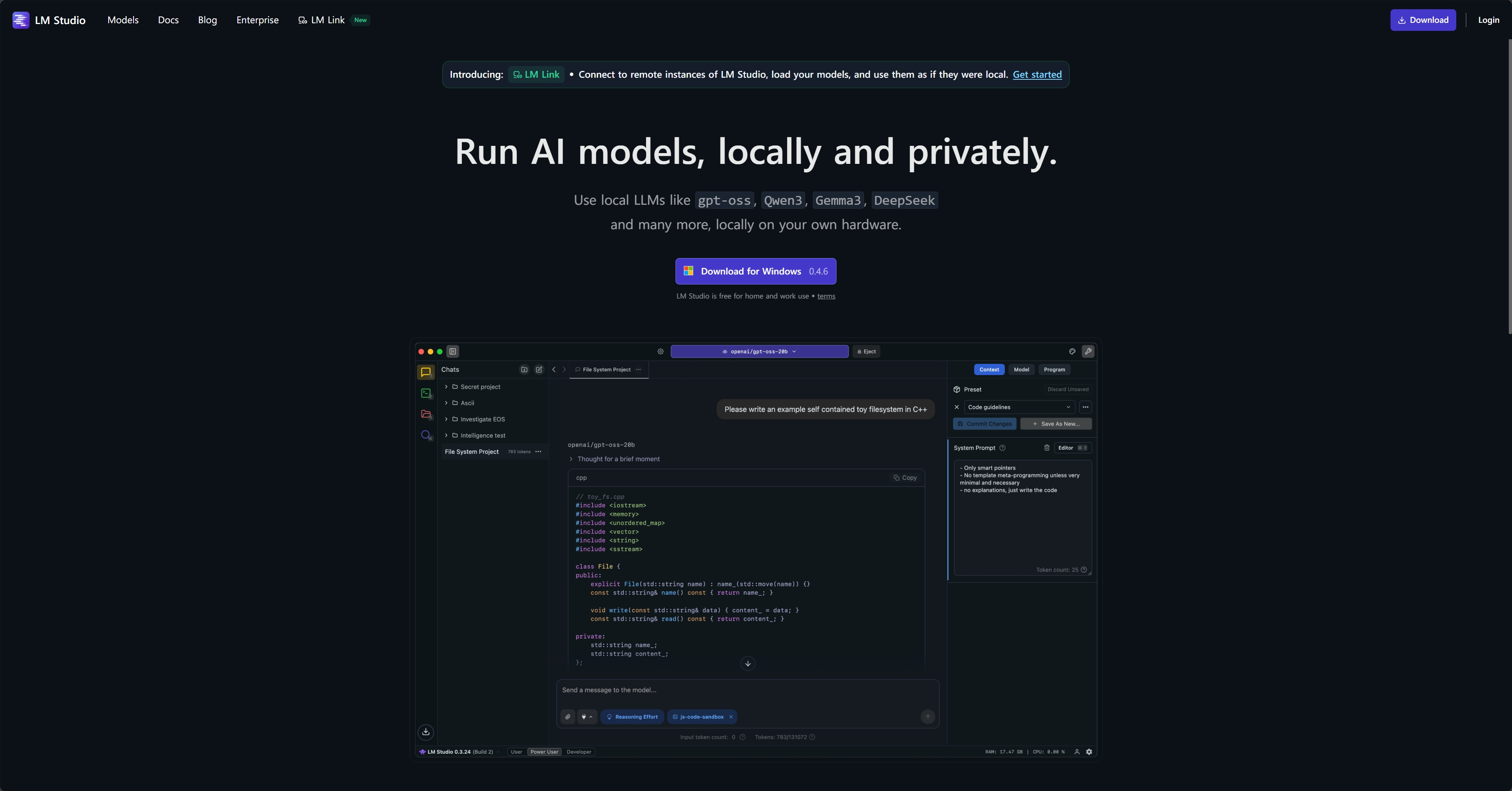
下载LM Studio
LM Studio - Local AI on your computer
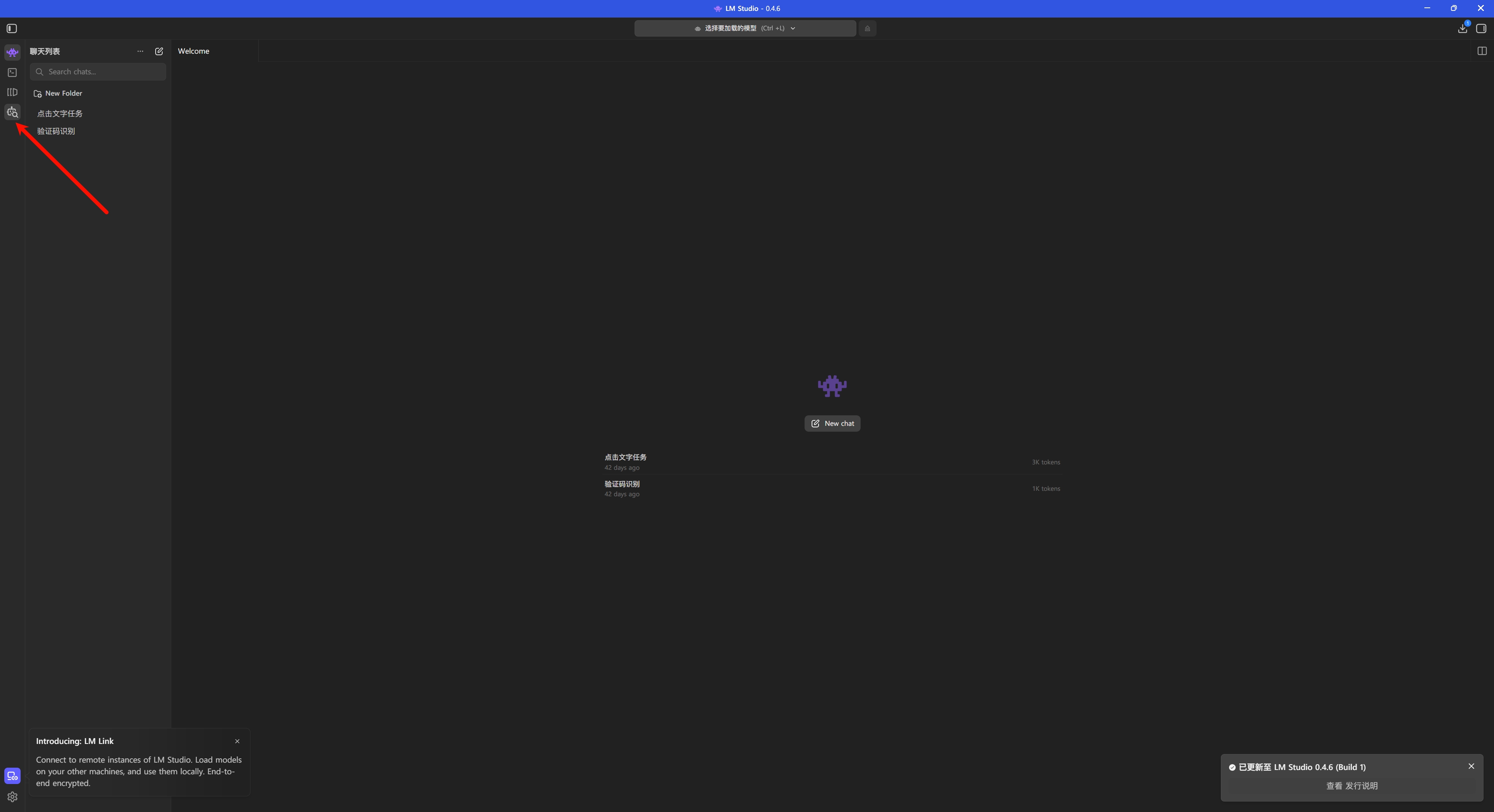
安装模型
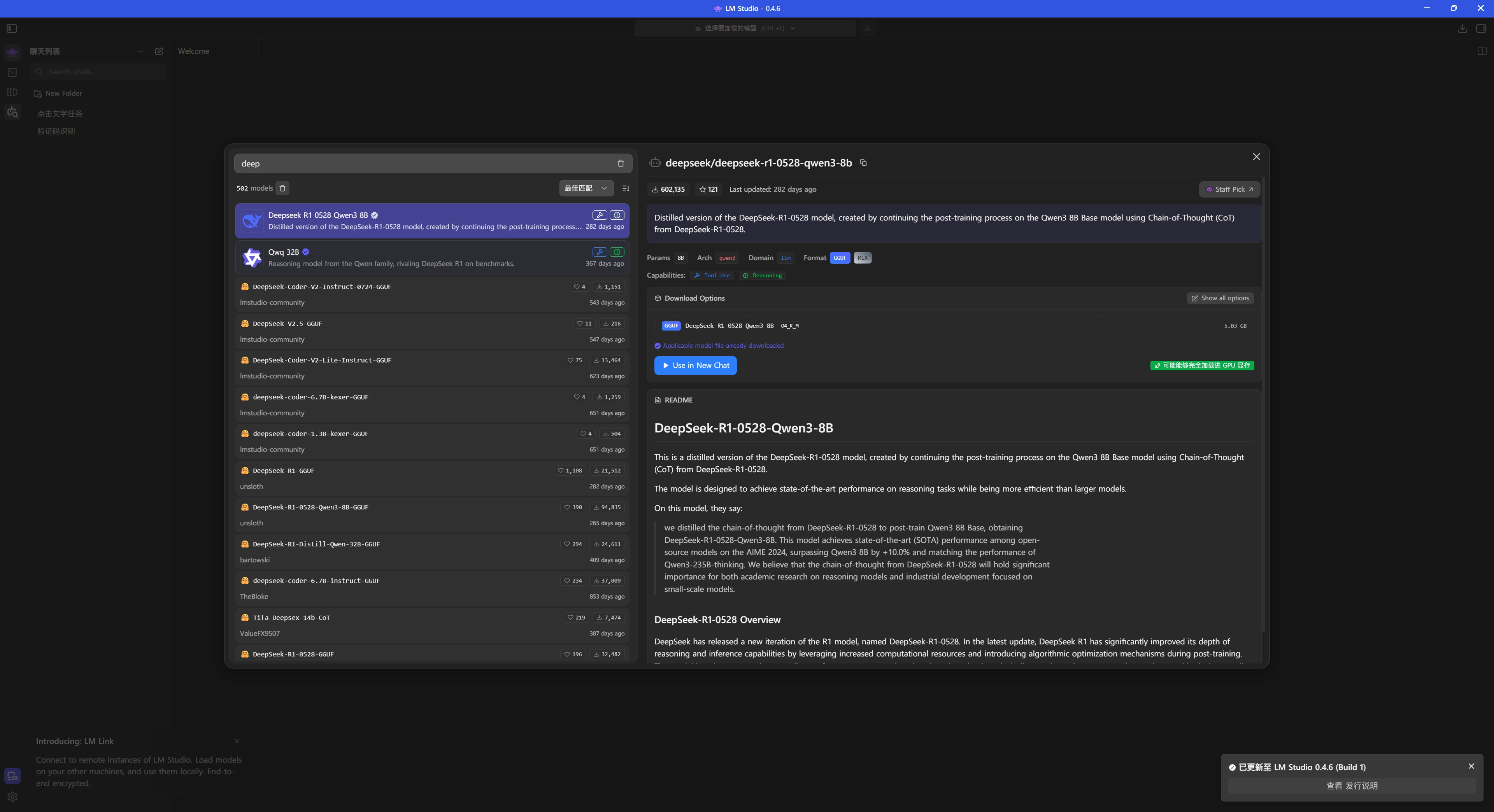
搜索 deepseek 并下载
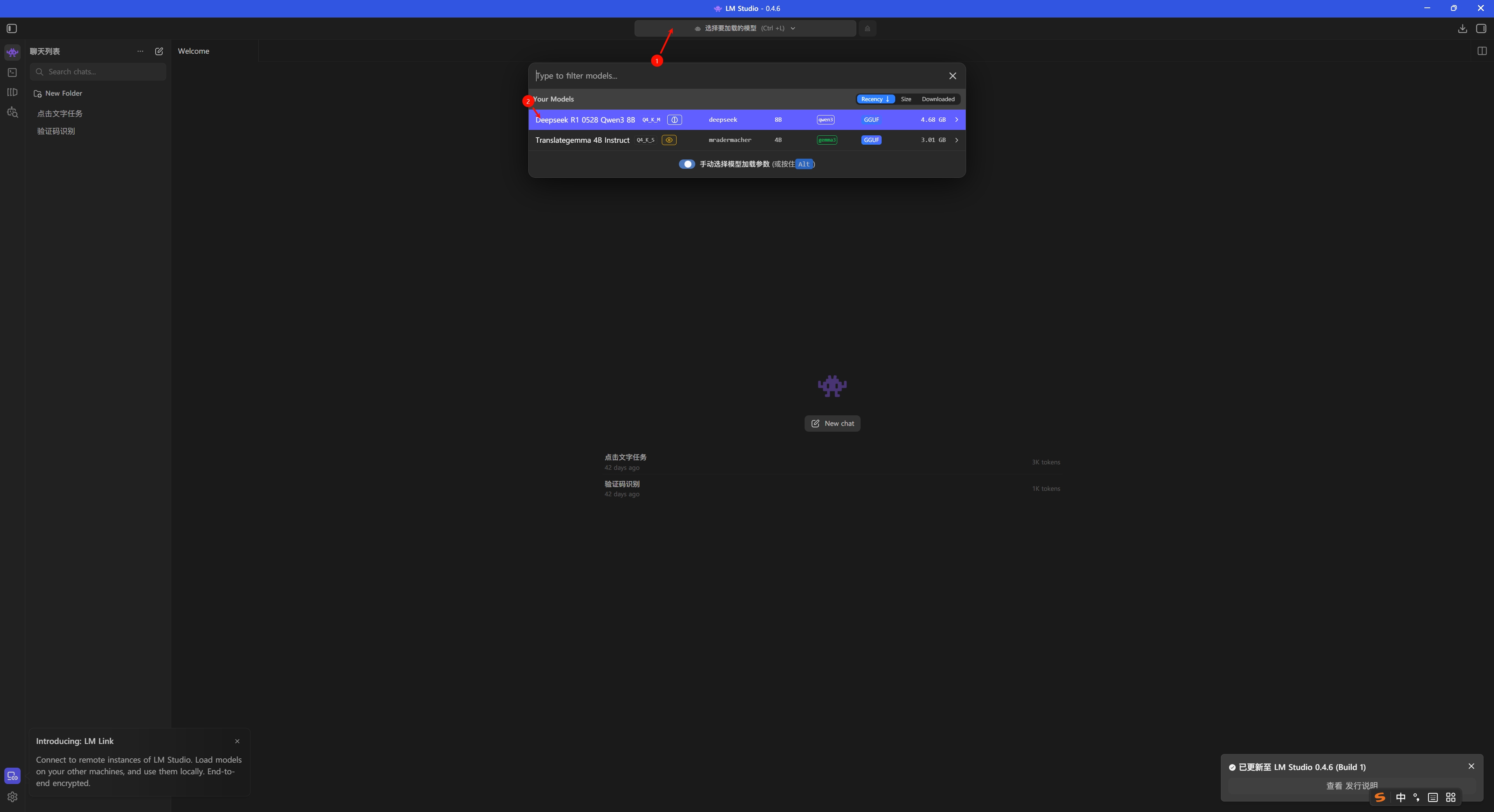
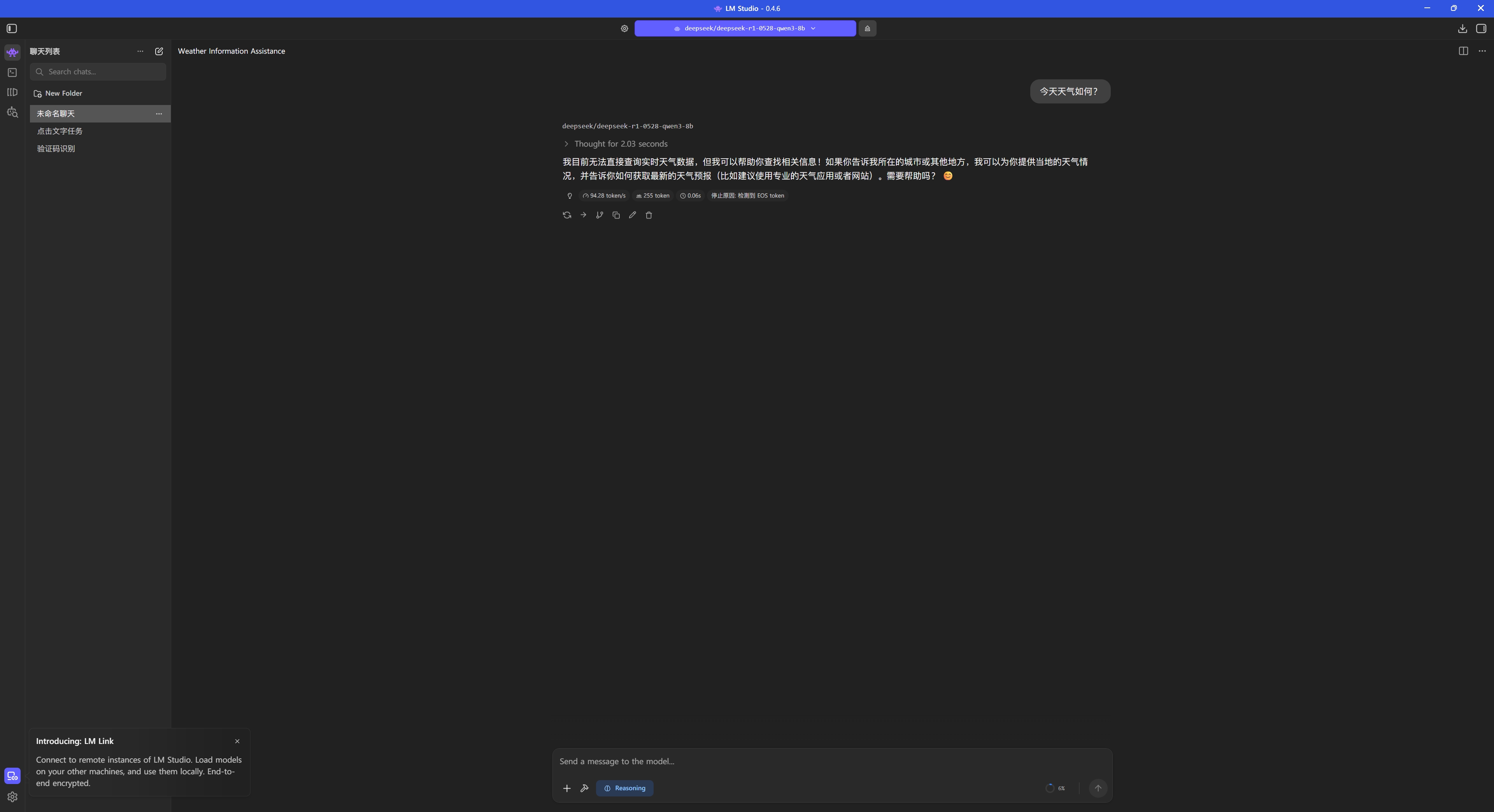
测试对话
代码编写
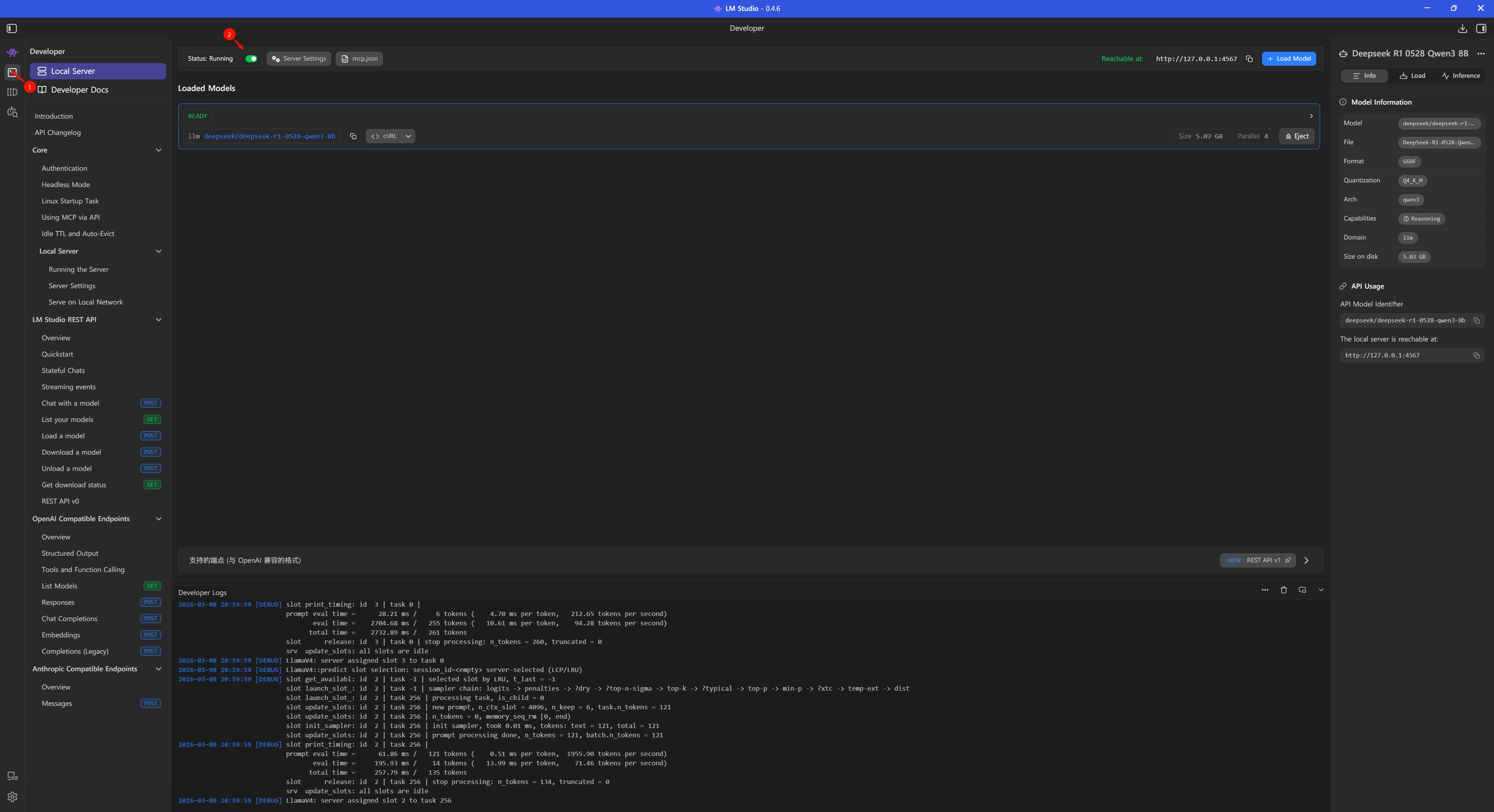
首先 LM Studio 要开启本地服务器
主程序:
import os
import sys
import time
import json
import base64
import wave
import array
import subprocess
import uuid
import tempfile
import re
from dotenv import load_dotenv
from openai import OpenAI
from tencentcloud.common import credential
from tencentcloud.common.exception.tencent_cloud_sdk_exception import TencentCloudSDKException
from tencentcloud.asr.v20190614 import asr_client, models
from tencentcloud.tts.v20190823 import tts_client, models as tts_models
# 加载环境变量
load_dotenv()
# ====================== 核心配置(从环境变量读取)======================
# LLM 配置 - 兼容 DeepSeek / LM Studio / Ollama 等本地模型
# 优先使用 LLM_* 通用配置,向后兼容 DEEPSEEK_* 配置
LLM_API_KEY = os.getenv("LLM_API_KEY") or os.getenv("DEEPSEEK_API_KEY") or "lm-studio"
LLM_BASE_URL = os.getenv("LLM_BASE_URL") or os.getenv("DEEPSEEK_BASE_URL") or "http://localhost:1234/v1"
LLM_MODEL = os.getenv("LLM_MODEL") or os.getenv("DEEPSEEK_LLM_MODEL") or "local-model"
# 保留旧变量名以兼容现有代码
DEEPSEEK_API_KEY = LLM_API_KEY
DEEPSEEK_BASE_URL = LLM_BASE_URL
DEEPSEEK_LLM_MODEL = LLM_MODEL
TENCENT_SECRET_ID = os.getenv("TENCENT_SECRET_ID")
TENCENT_SECRET_KEY = os.getenv("TENCENT_SECRET_KEY")
TENCENT_REGION = os.getenv("TENCENT_REGION", "ap-beijing")
VOLUME_THRESHOLD = int(os.getenv("VOLUME_THRESHOLD", "800"))
RECORD_CMD = os.getenv("RECORD_CMD", "arecord -D hw:0,0 -f S16_LE -r 44100 -c 1 -d {duration} {save_path}")
PLAY_WAV_CMD = os.getenv("PLAY_WAV_CMD", "aplay -q {file_path}")
TTS_MAX_TEXT_LEN = int(os.getenv("TTS_MAX_TEXT_LEN", "100"))
# ====================== 机器人配置类 ======================
class RobotConfig:
"""运行时可调整的机器人参数"""
VOICE_OPTIONS = {
"智瑜": 101001,
"智聆": 101002,
"智美": 101003,
"希希": 101004,
"智强": 101006,
"智芸": 101007,
"智华": 101008,
"智辉": 101010,
}
def __init__(self):
self.tts_volume = int(os.getenv("TTS_VOLUME", "5"))
self.tts_speed = int(os.getenv("TTS_SPEED", "0"))
self.voice_type = int(os.getenv("TTS_VOICE_TYPE", "101001"))
self.play_volume = int(os.getenv("PLAY_VOLUME", "100"))
self.config_changed = False
def set_volume(self, volume):
self.tts_volume = max(0, min(10, volume))
print(f"🔊 TTS音量已设置为: {self.tts_volume}")
self.config_changed = True
def set_speed(self, speed):
self.tts_speed = max(-2, min(2, speed))
print(f"⚡ TTS语速已设置为: {self.tts_speed}")
self.config_changed = True
def set_voice(self, voice_name):
if voice_name in self.VOICE_OPTIONS:
self.voice_type = self.VOICE_OPTIONS[voice_name]
print(f"🎤 音色已设置为: {voice_name}")
self.config_changed = True
return True
return False
def set_play_volume(self, volume):
self.play_volume = max(0, min(100, volume))
print(f"📢 播放音量已设置为: {self.play_volume}%")
self.config_changed = True
def get_voice_list(self):
return list(self.VOICE_OPTIONS.keys())
def save_to_env(self):
"""保存配置到 .env 文件"""
if not self.config_changed:
return
env_path = ".env"
lines = []
# 读取现有 .env 内容
if os.path.exists(env_path):
with open(env_path, 'r', encoding='utf-8') as f:
lines = f.readlines()
# 需要更新的配置
config_map = {
"TTS_VOLUME": str(self.tts_volume),
"TTS_SPEED": str(self.tts_speed),
"TTS_VOICE_TYPE": str(self.voice_type),
"PLAY_VOLUME": str(self.play_volume),
}
# 更新或添加配置
for key, value in config_map.items():
found = False
for i, line in enumerate(lines):
if line.startswith(f"{key}="):
lines[i] = f"{key}={value}\n"
found = True
break
if not found:
lines.append(f"{key}={value}\n")
# 写回文件
with open(env_path, 'w', encoding='utf-8') as f:
f.writelines(lines)
self.config_changed = False
print("💾 配置已保存")
# ====================== 工具函数 ======================
def clean_tts_text(text):
"""保留中文和标点符号"""
if not text:
return "你好呀"
text = text.strip().replace("\n", " ").replace("\t", " ")
# 保留中文、中文标点和常见标点
allowed_chars = r'[\u4e00-\u9fff,。!?、;:""''…—~\s]'
clean_text = "".join(re.findall(allowed_chars, text))
# 去除多余空格
clean_text = re.sub(r'\s+', '', clean_text)
if len(clean_text) > TTS_MAX_TEXT_LEN:
clean_text = clean_text[:TTS_MAX_TEXT_LEN]
return clean_text if clean_text else "你好呀"
def check_audio_volume(audio_path, threshold):
try:
with wave.open(audio_path, 'rb') as wf:
audio_data = wf.readframes(wf.getnframes())
audio_array = array.array('h', audio_data)
max_vol = max(abs(x) for x in audio_array)
return max_vol > threshold
except:
return False
def install_dependencies():
if subprocess.run(["which", "ffmpeg"], capture_output=True).returncode != 0:
print("⚠️ 安装ffmpeg...")
subprocess.run(["sudo", "apt", "update", "-y"], stdout=subprocess.DEVNULL)
subprocess.run(["sudo", "apt", "install", "-y", "ffmpeg"], stdout=subprocess.DEVNULL)
if subprocess.run(["which", "aplay"], capture_output=True).returncode != 0:
print("⚠️ 安装alsa-utils...")
subprocess.run(["sudo", "apt", "install", "-y", "alsa-utils"], stdout=subprocess.DEVNULL)
def play_beep():
"""播放提示音"""
try:
# 使用系统蜂鸣器或 speaker-test 生成简短提示音
subprocess.run(["speaker-test", "-t", "sine", "-f", "1000", "-l", "1"],
stdout=subprocess.DEVNULL, stderr=subprocess.DEVNULL, timeout=0.3)
except:
pass
# ====================== 腾讯云ASR+TTS工具类 ======================
class VoiceTool:
def __init__(self, config):
self.config = config
install_dependencies()
try:
self.cred = credential.Credential(TENCENT_SECRET_ID, TENCENT_SECRET_KEY)
self.asr_client = asr_client.AsrClient(self.cred, TENCENT_REGION)
self.tts_client = tts_client.TtsClient(self.cred, TENCENT_REGION)
print("✅ 腾讯云ASR+TTS初始化成功")
except TencentCloudSDKException as e:
print(f"❌ 腾讯云初始化失败:{e}")
self.cred = None
def record_and_recognize(self, duration=3):
save_path = "recording.wav"
record_cmd = RECORD_CMD.format(duration=duration, save_path=save_path)
# 播放提示音提醒用户可以说话
play_beep()
print(f"\n🎙️ 录音中({duration}秒)...")
subprocess.run(record_cmd.split(), stdout=subprocess.DEVNULL, stderr=subprocess.DEVNULL)
if not os.path.exists(save_path) or not check_audio_volume(save_path, VOLUME_THRESHOLD):
if os.path.exists(save_path):
os.remove(save_path)
return "SILENCE"
try:
with open(save_path, "rb") as f:
audio_base64 = base64.b64encode(f.read()).decode("utf-8")
req = models.SentenceRecognitionRequest()
req.EngSerViceType = "16k_zh"
req.VoiceFormat = "wav"
req.Data = audio_base64
req.SourceType = 1
resp = self.asr_client.SentenceRecognition(req)
os.remove(save_path)
return resp.Result.strip() if resp.Result else None
except TencentCloudSDKException as e:
print(f"❌ ASR识别失败:{e}")
os.remove(save_path)
return None
def tts_and_play(self, text):
if not self.cred:
print("❌ 腾讯云未初始化")
return
clean_text = clean_tts_text(text)
print(f"📝 合成文本:{clean_text}")
try:
req = tts_models.TextToVoiceRequest()
req.Text = clean_text
req.VoiceType = self.config.voice_type
req.Codec = "mp3"
req.SessionId = str(uuid.uuid4()).replace("-", "")[:16]
req.Speed = self.config.tts_speed
req.Volume = self.config.tts_volume
resp = self.tts_client.TextToVoice(req)
audio_base64 = resp.Audio
if not audio_base64:
print("❌ TTS合成返回空音频")
return
except TencentCloudSDKException as e:
print(f"❌ TTS合成失败:{e}")
return
try:
tmp_mp3 = tempfile.mktemp(suffix=".mp3")
with open(tmp_mp3, "wb") as f:
f.write(base64.b64decode(audio_base64))
tmp_wav = tempfile.mktemp(suffix=".wav")
ffmpeg_cmd = f"ffmpeg -i {tmp_mp3} -y -ac 1 -ar 44100 {tmp_wav}"
subprocess.run(ffmpeg_cmd.split(), stdout=subprocess.DEVNULL, stderr=subprocess.DEVNULL)
print(f"🔊 播放:{clean_text}")
volume_ratio = self.config.play_volume / 100.0
tmp_wav_adj = tempfile.mktemp(suffix=".wav")
ffmpeg_vol_cmd = f"ffmpeg -i {tmp_wav} -y -af volume={volume_ratio} {tmp_wav_adj}"
subprocess.run(ffmpeg_vol_cmd.split(), stdout=subprocess.DEVNULL, stderr=subprocess.DEVNULL)
subprocess.run(PLAY_WAV_CMD.format(file_path=tmp_wav_adj).split(), stdout=subprocess.DEVNULL)
if os.path.exists(tmp_wav_adj):
os.remove(tmp_wav_adj)
os.remove(tmp_mp3)
os.remove(tmp_wav)
except Exception as e:
print(f"❌ 播放失败:{e}")
if os.path.exists(tmp_mp3):
os.remove(tmp_mp3)
if os.path.exists(tmp_wav):
os.remove(tmp_wav)
# ====================== LLM客户端 ======================
class LLMClient:
def __init__(self, config):
self.config = config
self.client = OpenAI(api_key=DEEPSEEK_API_KEY, base_url=DEEPSEEK_BASE_URL)
def get_llm_response(self, user_text):
voice_list = ", ".join(self.config.get_voice_list())
prompt = f"""
你是一个智能语音助手。根据用户输入,返回JSON格式的响应。
当前配置:
- 播放音量: {self.config.play_volume}% (范围0-100,控制最终播放声音大小)
- TTS语速: {self.config.tts_speed} (范围-2到2)
- 音色ID: {self.config.voice_type}
可用音色: {voice_list}
返回格式:
{{"response": "回复内容,可以包含标点符号", "command": "命令", "config": {{"play_volume": 数字, "speed": 数字, "voice": "音色名"}}}}
command字段可选:
- "exit" - 用户说再见、拜拜等要退出时
- 无此字段 - 继续对话
config字段可选,仅当用户要求修改参数时才包含。
重要:用户说"声音大/小"、"音量大/小"时,统一使用 play_volume 字段(0-100范围),效果更明显。
示例:
用户: "再见" -> {{"response": "好的,再见!", "command": "exit"}}
用户: "声音调大一点" -> {{"response": "好的,声音已调大。", "config": {{"play_volume": {min(self.config.play_volume + 20, 100)}}}}}
用户: "声音小一点" -> {{"response": "好的,声音已调小。", "config": {{"play_volume": {max(self.config.play_volume - 20, 0)}}}}}
用户: "换成男声" -> {{"response": "好的,已切换为男声。", "config": {{"voice": "智强"}}}}
用户: "你好" -> {{"response": "你好,很高兴见到你!"}}
用户输入:{user_text}
"""
try:
completion = self.client.chat.completions.create(
model=DEEPSEEK_LLM_MODEL,
messages=[{"role": "user", "content": prompt}],
temperature=0.7,
max_tokens=200
)
return completion.choices[0].message.content.strip()
except Exception as e:
print(f"❌ LLM调用失败:{e}")
return '{"response": "抱歉,我没听清。"}'
# ====================== 主函数 ======================
def main():
config = RobotConfig()
voice_tool = VoiceTool(config)
llm_client = LLMClient(config)
print("\n" + "="*50)
print("🚀 语音对话系统启动")
print(f"当前音色ID: {config.voice_type}")
print(f"TTS音量: {config.tts_volume}, 语速: {config.tts_speed}")
print(f"播放音量: {config.play_volume}%")
print("可用音色:", ", ".join(config.get_voice_list()))
print("说'再见'或'拜拜'可退出程序")
print("="*50 + "\n")
try:
while True:
user_text = voice_tool.record_and_recognize(duration=3)
if user_text == "SILENCE" or not user_text:
time.sleep(0.5)
continue
print(f"✅ 识别结果:{user_text}")
llm_raw = llm_client.get_llm_response(user_text)
print(f"📝 LLM返回:{llm_raw}")
try:
if "```json" in llm_raw:
llm_raw = llm_raw.split("```json")[1].split("```")[0].strip()
resp_dict = json.loads(llm_raw)
tts_text = resp_dict.get("response", "你好呀")
command = resp_dict.get("command", "")
# 处理配置修改
if "config" in resp_dict:
cfg = resp_dict["config"]
if "volume" in cfg:
config.set_volume(cfg["volume"])
if "speed" in cfg:
config.set_speed(cfg["speed"])
if "voice" in cfg:
config.set_voice(cfg["voice"])
if "play_volume" in cfg:
config.set_play_volume(cfg["play_volume"])
# 保存配置到 .env
config.save_to_env()
voice_tool.tts_and_play(tts_text)
# 处理退出命令
if command == "exit":
print("\n👋 再见!")
break
except json.JSONDecodeError:
print("⚠️ JSON解析失败,播放默认回复")
voice_tool.tts_and_play("抱歉,我没理解你的意思。")
except Exception as e:
print(f"❌ 处理异常:{e}")
print("-" * 40)
time.sleep(1)
except KeyboardInterrupt:
print("\n🛑 程序终止")
if __name__ == "__main__":
main().env:
# ==================== LLM 配置 ====================
# 通用 LLM 配置(推荐)- 支持 DeepSeek / LM Studio / Ollama 等
# 方式一:使用 DeepSeek API
# LLM_API_KEY=your_deepseek_api_key_here
# LLM_BASE_URL=https://api.deepseek.com/v1
# LLM_MODEL=deepseek-chat
# 方式二:使用 LM Studio(本地模型)
# 启动 LM Studio 后,在 "Local Server" 标签页启动服务器(默认端口 1234)
LLM_API_KEY=lm-studio
LLM_BASE_URL=http://192.168.1.2:4567/v1
LLM_MODEL=local-model
# 方式三:使用 Ollama(本地模型)
# 启动 Ollama 后运行: ollama run qwen2.5:7b
# LLM_API_KEY=ollama
# LLM_BASE_URL=http://localhost:11434/v1
# LLM_MODEL=qwen2.5:7b
# 方式四:使用其他 OpenAI 兼容 API
# LLM_API_KEY=your_api_key
# LLM_BASE_URL=https://your-api-endpoint/v1
# LLM_MODEL=your-model-name
# ==================== 兼容旧配置 ====================
# 以下旧配置仍然支持,但推荐使用上面的 LLM_* 配置
# DEEPSEEK_API_KEY=your_deepseek_api_key_here
# DEEPSEEK_BASE_URL=https://api.deepseek.com/v1
# DEEPSEEK_LLM_MODEL=deepseek-chat
# ==================== 腾讯云配置 ====================
TENCENT_SECRET_ID=xxxxxxxxxxxxxxxxxx
TENCENT_SECRET_KEY=xxxxxxxxxxxxxxxxxxx
TENCENT_REGION=ap-beijing
# ==================== 音频配置 ====================
VOLUME_THRESHOLD=800
RECORD_CMD=arecord -D hw:0,0 -f S16_LE -r 44100 -c 1 -d {duration} {save_path}
PLAY_WAV_CMD=aplay -q {file_path}
# ==================== TTS 配置 ====================
TTS_VOICE_TYPE=101001
TTS_MAX_TEXT_LEN=100
# 运行时可调参数(可通过语音修改)
TTS_VOLUME=5 # TTS音量 (0-10)
TTS_SPEED=0 # TTS语速 (-2 到 2)
PLAY_VOLUME=100 # 播放音量 (0-100)
# 可用音色列表:
# 101001 - 智瑜 (女声)
# 101002 - 智聆 (女声)
# 101003 - 智美 (女声)
# 101004 - 希希 (女声)
# 101006 - 智强 (男声)
# 101007 - 智芸 (女声)
# 101008 - 智华 (男声)
# 101010 - 智辉 (男声)
# ==================== 本地模型使用说明 ====================
#
# 【LM Studio 使用方法】
# 1. 下载并安装 LM Studio: https://lmstudio.ai/
# 2. 打开 LM Studio,在搜索栏搜索并下载模型(推荐中文模型如 Qwen2.5)
# 3. 点击左侧 "Local Server" 标签页
# 4. 选择已下载的模型,点击 "Start Server"
# 5. 默认服务器地址: http://localhost:1234
#
# 【Ollama 使用方法】
# 1. 下载并安装 Ollama: https://ollama.ai/
# 2. 终端运行: ollama pull qwen2.5:7b (下载模型)
# 3. 终端运行: ollama run qwen2.5:7b (启动模型)
# 4. 默认服务器地址: http://localhost:11434
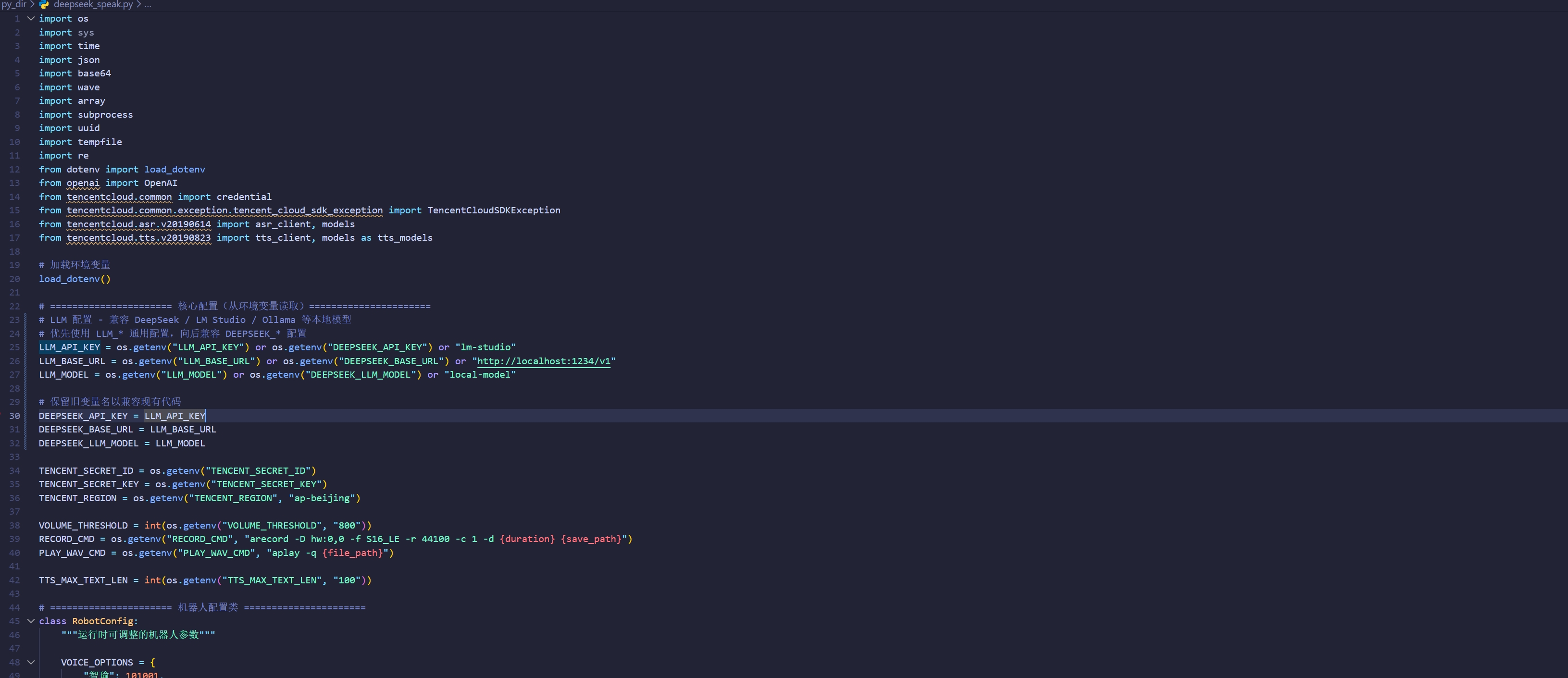
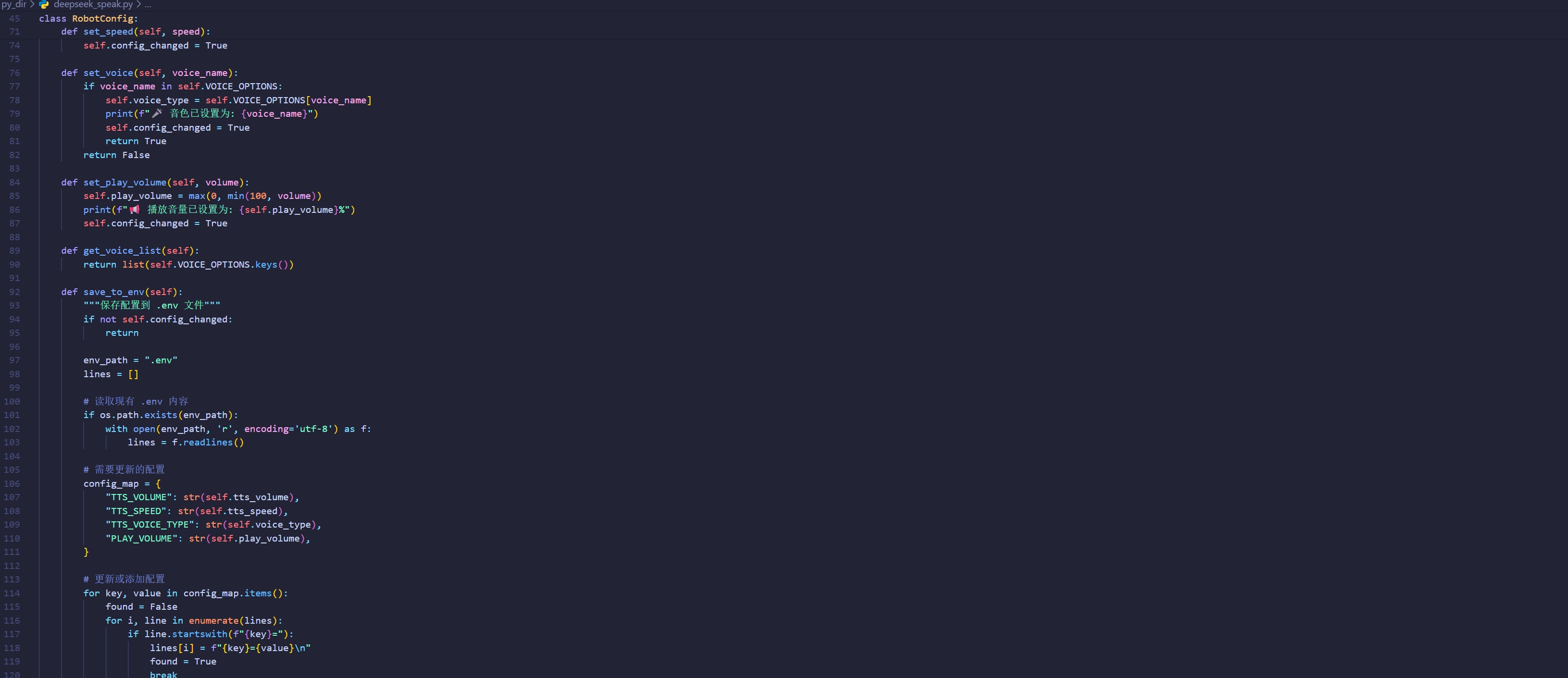
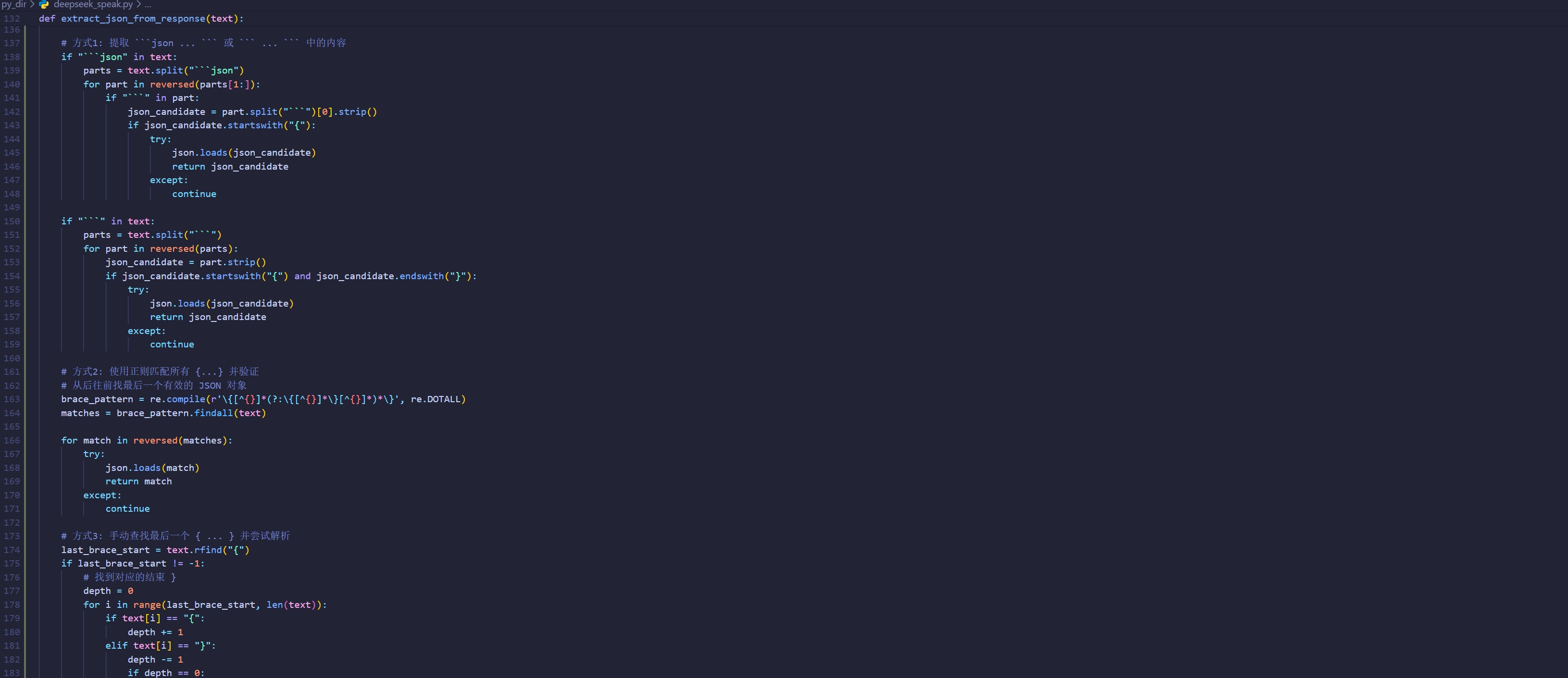
代码截图
欢迎关注我的公众号【zxb的博客】!


举报内容
评论